

A dedicated ski instructor scheduling app eliminates lesson overlaps and autumn roster confusion by automating availability, qualifications, and shift management. SkiPlanner integrates automated conflict detection into its Instructor Management module, protecting operations managers from double-booking errors and keeping schedules clear across every slope.
The October Availability Crisis for Operations Managers
Autumn marks the critical transition where advance holiday reservations flood in while instructor availability remains fluid. Relying on disconnected chat groups, manual spreadsheets, or paper diaries during this period inevitably triggers operational breakdowns:
- Overlapping Private & Group Lessons: Assigning an instructor to a private session while they are already locked into a seasonal group slot on another slope (baan).
- Unmonitored Time-Off Requests: Manually recording leave requests across emails, resulting in staff being booked when they are unavailable.
- Last-Minute Shift Scrambles: Operations managers wasting valuable morning hours answering repetitive “When am I working?” questions.
- Client Retention Damage: Arriving students discovering their assigned instructor is double-booked, undermining confidence right at the start of the season.
As detailed in our Ultimate Guide to Booking Software for Ski and Snowboard Schools, modern academies must replace manual admin with specialized digital planning to scale without friction.
Manual Rosters vs. Intelligent Conflict Detection
To schedule ski instructors efficiently, operations teams need system safeguards that catch human error before it impacts the slopes.
| Scheduling Challenge | Traditional / Manual Rostering | SkiPlanner Instructor Management | Operational Impact |
| Shift Conflicts | Undetected until the client arrives at the desk | Automated double booking prevention with visual red alert borders[cite: 2, 3] | Zero overlapping sessions; instant visual flags on conflicting assignments. |
| Leave & Availability | Tracked on offline calendars or sticky notes | Hard-locked unassignable dates; unavailable instructors cannot be selected | Eliminates accidental scheduling during approved time off. |
| Schedule Distribution | Manual PDF exports or weekly group messages | Dedicated personal schedule pages with bi-weekly and monthly auto-emails | Instructors always know their shifts in advance without contacting managers. |
| Level-to-Group Fit | Guesswork based on memory of instructor skills | Skill-matching rules linked to student levels and age criteria | Prevents mismatching instructors with incompatible student ability tiers. |
How SkiPlanner Solves Instructor Scheduling Bottlenecks
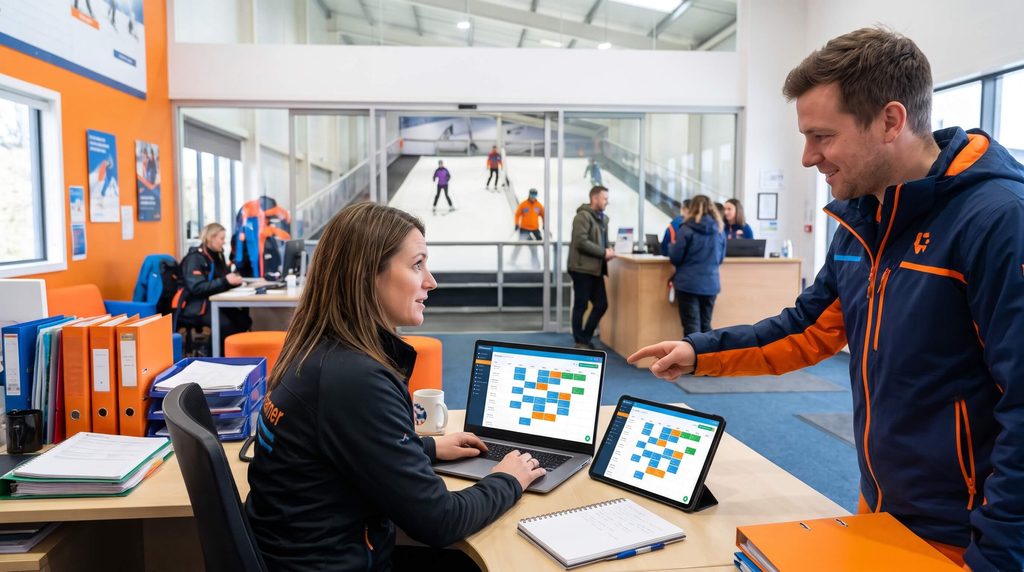
SkiPlanner’s instructor management module automates time-consuming tasks so operations managers can focus on lesson quality and slope capacity.
1. Real-Time Conflict Detection & Smart Roster Locking
When building lesson schedules on the interactive grid, SkiPlanner acts as an automated gatekeeper[cite: 2, 3]. If an operations manager attempts to place an instructor into an overlapping slot or during recorded time off, the system triggers conflict indicators—preventing accidental double assignments before they are confirmed.
2. Personal Portals & Automated Schedule Dispatch
SkiPlanner gives every instructor individual schedule visibility through a clean browser interface. Automated notifications send updated rosters directly to instructors every two weeks and each month, keeping field staff prepared and accountable without desk intervention.
3. Drag-and-Drop Slope Reassignment
Weather disruptions, slope maintenance, and last-minute student transfers require agile changes. Rather than navigating complex edit forms, managers simply drag and drop instructor blocks directly between slopes (tracks) and times, with instant schedule recalculation.
4-Step Autumn Checklist to Prevent Double-Bookings
Prepare your roster before peak winter arrivals by implementing this systematic setup:
- Audit Instructor Availability & Time-Off: Collect all seasonal availability, preferred hours, and planned leave, locking unavailable windows directly in the platform.
- Assign Discipline & Qualification Tags: Map instructor certifications (ski vs. snowboard, youth vs. adult, beginner vs. advanced) to align with SkiPlanner’s estimated point tracking[cite: 2, 3].
- Establish Automated Notification Cycles: Activate automated bi-weekly schedule dispatch so instructors receive upcoming shifts well ahead of time.
- Conduct a Stress Test on Peak Weeks: Run mock booking scenarios across Christmas and mid-term weeks to verify slope capacity and instructor distribution.
Trusted by Industry Professionals
“SkiPlanner is fijn en overzichtelijk plannings software…”
— Sven, Indoorski Den Bosch
Frequently Asked Questions (FAQ)
How does a ski instructor scheduling app prevent double bookings?
The software monitors instructor availability, existing bookings, and approved time off simultaneously. If a manager attempts to assign an instructor to overlapping slots, the system flags the collision with visual alerts and prevents conflicting entries.
Can instructors access their schedules on mobile devices?
Yes, SkiPlanner runs smoothly in any mobile or tablet web browser, giving instructors instant access to their daily rosters, assigned student skill levels, and schedule changes on the go.
How does automated schedule delivery reduce front-desk admin?
Instead of managers answering recurring questions about upcoming shifts, SkiPlanner automatically sends personalized schedules by email bi-weekly and monthly, keeping instructors updated directly.


